Experiment 2 - Back to Earth Air#
In this experiment, we go back to the Earth atmospheric composition and test if convective mixing in this suite behaves in a familiar way.
Step 1: Change the vertical extent of the model#
In the top-level configuration, change the LFRIC_LEVS to
uniform_l100_75km.
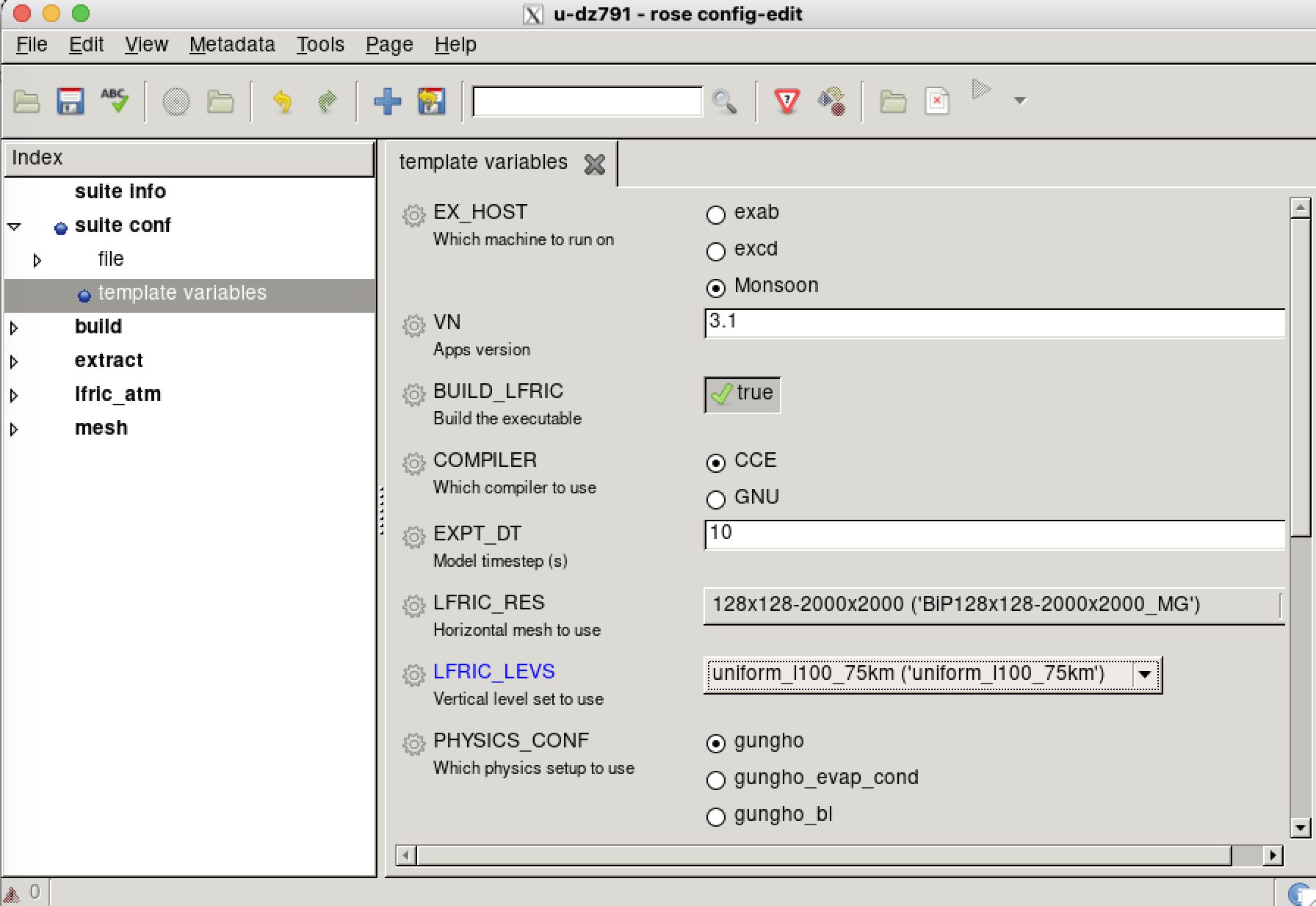
Fig. 38 Screenshot of the Rose GUI showing the top-level panel in the extraterrestrial CRM suite.#
Step 2: Change the gas constants#
Open Rose GUI or
app/lfric_atm/rose-app.confin a text editor of your choice.Search for the
cpandrdkeys.Set them to
[namelist:planet]
cp=1005.0
gravity=9.81
omega=7.292116E-5
p_zero=100000.0
rd=287.05
scaling_factor=1.0
Step 3: Change the water vapour profile#
Warning
This step has to be done in a text editor because we are changing an optional configuration. Optional configurations are not supported by rose edit.
Open the rose-app-gungho.conf optional configuration (in
app/lfric_atm/opt/) in the text editor of your choice.
Change the initial vapour profile values and corresponding heights.
[namelist:initial_vapour]
profile_data=0.5,0.5,0.0,0.0
profile_heights=0,18638,24863,75000
profile_size=4
profile_variable='mr'
Step 4: Run the model#
Now run the model using what you have learnt in the previous exercises. Check the output using Python or another tool of your choice.
Step 5. Compare with the control experiment#
Using a Python script or Jupyter Notebook, make plots for both experiments and compare them to each other.
Using a Python script or Jupyter Notebook, make plots for both experiments and compare them to each other.