Reusing pre-extracted raw data files from MASS
It is possible to save non-standardised model output data (e.g. pp files) with CMEW, to avoid having to extract them from MASS again in future.
This functionality is controlled by two variables in the rose-suite.conf file:
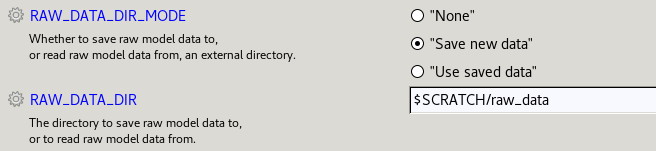
The label “Save new data” corresponds to a value of “save_new”, and “Use saved data” to “use_saved”.
To copy the data, the user must run CMEW specifying the location to which to save the files, e.g.:
RAW_DATA_DIR_MODE="save_new"
RAW_DATA_DIR="$SCRATCH/raw_data"
The raw data files will be stored in subdirectories named by suite ID.
Warning
If the suite ID’s subdirectory in the specified parent directory is not empty, CMEW will deliberately fail to copy the data.
In future runs, to avoid extracting the same data, specify the same location when skipping the extract from MASS step:
RAW_DATA_DIR_MODE="use_saved"
RAW_DATA_DIR="$SCRATCH/raw_data"
Note
If only some of the necessary raw data files have already been extracted, for example data for one model run but not for another, then it is not currently possible to reuse raw data files with CMEW.