Configuring Datasets in CMEW
Adding datasets
The easiest way to add datasets to CMEW is to clone an existing dataset in the Rose GUI and then edit the details. To do this:
Navigate to the CMEW directory, e.g.:
cd CMEW/CMEW
Open the Rose GUI:
rose edit
In the Rose GUI, click the triangle to the left of “suite conf” to expose a submenu.
Click the triangle to the left of “namelist” to expand the namelist sections.
Select the type of dataset you wish to add, e.g. “model_runs”.
Right-click an existing entry and select “Clone this section” from the pop-up menu.
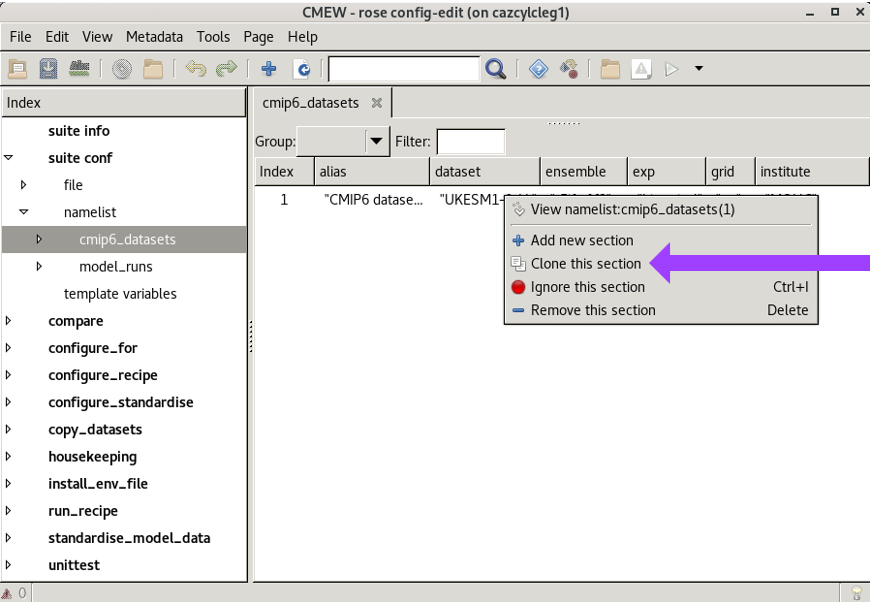
Overwrite the details with those of the new dataset to be added.
Choosing the reference dataset
AutoAssess metrics expect a reference and an evaluation run.
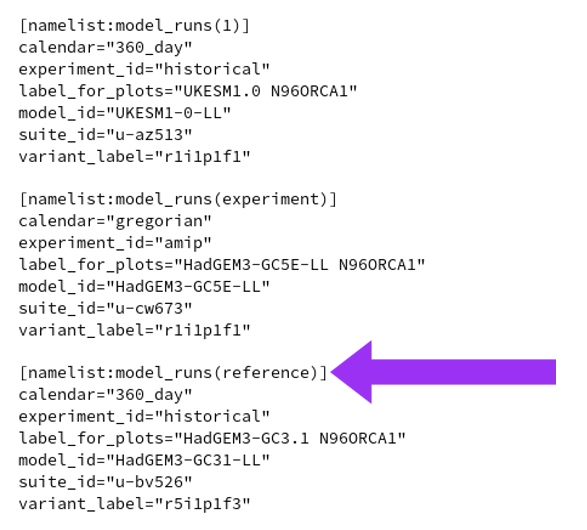
CMEW identifies these by the names of the model run sections in the rose-suite.conf file;
the reference run must be named reference and the evaluation run named experiment.
Any additional runs will be ignored by AutoAssess
but will be passed to the ESMValTool recipes in exactly the same way as the evaluation run “experiment”.
These runs may be named as any other string.
If the clone button is used, the default is “1”, “2” and so on.
Once a new dataset has been added, it may be named as the reference (or evaluation) run by
Navigating to the “model_runs” area of the namelists.
Right-clicking the entry to be amended (renamed).
Clicking the “Rename a section” button.
There is currently no way to select a CMIP dataset as the reference (or evaluation) run so these sections may be named in any way with no effects.
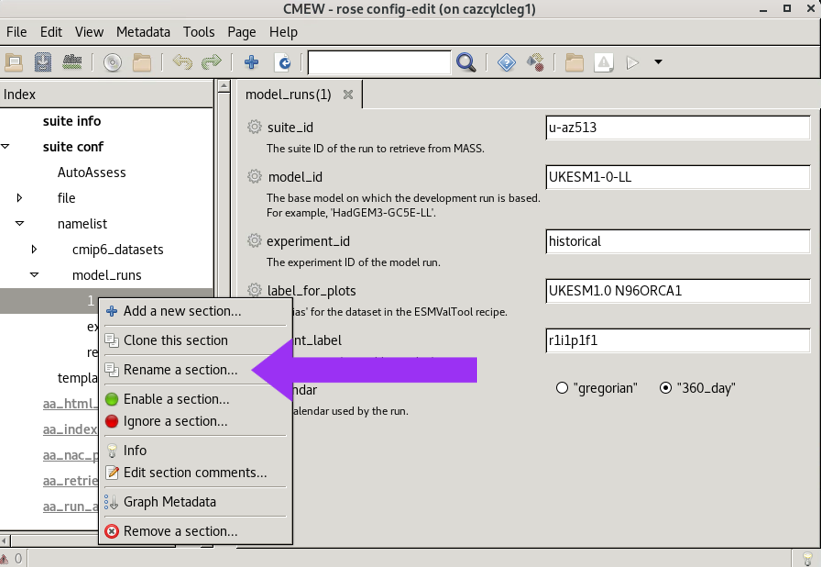
These changes may also be made directly to the rose-suite.conf file
rather than using the Rose GUI.
Warning
Currently, the recipe “Radiation Budget” will not allow two datasets (such as both a CMIP6 dataset and a model development run) that share a common model ID (such as “HadGEM3-GC31-LL”) to be run in the same workflow.